A George workshop that needed better sheet yield
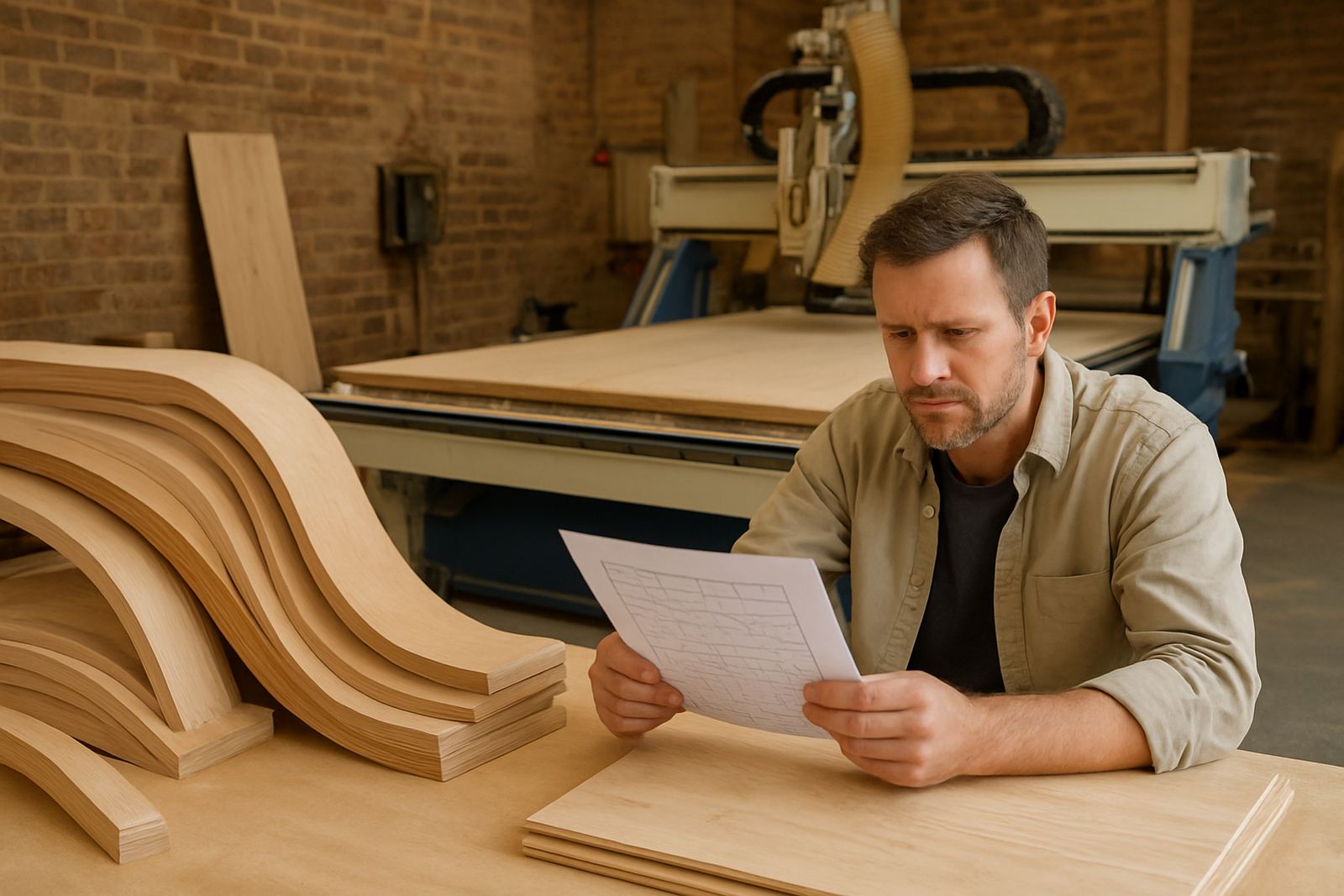
This was a custom furniture and joinery operation in George, working mainly with timber panels, solid timber components and shaped parts for kitchens, built-ins and one-off items. The shop already had CNC capacity, but sheet usage was being managed by hand and each nesting run took too much time to check, adjust and approve. Offcuts were still usable, but they were not being planned well enough, so the team was losing material value on almost every job.
The brief was simple on paper. They wanted nesting software that could handle mixed parts, improve cutting order, and make it easier for the programmer and machine operator to agree on one clean job file. They also wanted a setup that would suit a busy George floor, where humidity changes, power interruptions and a small team can slow things down if the process is not clear.
What the shop was dealing with before rollout
Before the rollout, the team was using a mix of manual layout planning and machine-side adjustments. That worked on smaller orders, but it became messy when multiple cabinet sets, doors, edging notes and special sizes had to be grouped into one production run. A few millimetres of error in part spacing or toolpath settings could mean rework, extra trimming or a damaged sheet.
The client also needed a more repeatable way to move from drawing to cut file, especially when different operators were covering shifts. On some days the machine had to sit idle while files were checked again. On other days there was too much confidence and not enough verification. The owner wanted fewer surprises, less waste and a process that would hold up even when load-shedding interrupted the week.
- Manual nesting was taking too long for larger sheet batches
- Part orientation and grain direction were not always planned the same way
- Offcuts were not being tracked for reuse in a practical way
- Different operators were saving files in different formats and folders
- Machine start-up checks were inconsistent after power cuts
Software setup, post-processor work and machine handover
We supplied the licensing, installed the nesting software and matched the output to the shop's CNC router workflow. The job was not only about loading a programme. It included setting up the post-processor so the machine would read the right toolpath structure, lead-ins, order of cuts and safe movements without forcing the operator to keep editing files by hand.
Our applications engineer and post-processor specialist worked through the machine-specific settings first, then built the practical job sequence the shop needed for daily production. We also carried out a short workflow audit to clean up file naming, part libraries and nesting preferences. That helped the team move from drawing to production with fewer steps and less room for error.
- Licence installation and activation on the shop computer
- Custom post-processor setup for the CNC router workflow
- Material sheet sizes entered for the common board formats used in George
- Tool library build for the cutters actually used on timber work
- First job support on site to prove the settings on real parts
Training that suited the operator and the owner
The team did not need classroom theory. They needed hands-on guidance on their own files, their own machine and their own production pressure. We ran training for the programmer, the operator and the owner so each person understood the same job from a different angle. The programmer needed nesting rules and file control. The operator needed machine-side confidence. The owner needed to know where the savings were coming from and how to check if the system was still being used correctly.
Training was kept practical and local to the shop floor. We covered how to nest custom timber parts, how to pack parts to reduce waste, when to keep grain direction strict, and when to allow a small adjustment for better board use. We also showed the team how to recover after a failed start, how to check the first cut after a restart, and how to keep the workflow stable when municipal power interruptions or humidity changes affected the day.
Because the shop was in George, we made sure the process was easy to repeat after a weekend shutdown or a load-shedding break. That meant simple checks, clear file versions and a sensible backup routine. No one wanted a clever system that only worked if one person was in the building.
Timeline and rollout in the workshop
The full rollout took three weeks from initial setup to final handover. Week one covered discovery, machine checks and licence installation. Week two was for post-processor tuning, part testing and first nesting trials. Week three focused on hands-on training, live job support and final workflow clean-up. The pace was steady, but not rushed, because the shop needed the machine producing while the new process was being tested.
We adjusted a few settings after the first live runs, especially around safe travel moves and nested part spacing. That kind of correction is normal in a real shop, and it is much better to catch it during a live cut than after a full sheet has been wasted. The final setup was stable enough for daily use and clear enough for a new operator to follow without guesswork.
- Week 1: site review, licence installation, machine and file review
- Week 2: post tuning, sample nesting runs and cutter path checks
- Week 3: operator training, first job support and handover
- Final outcome: a repeatable production flow with less sheet waste
Results the shop could see on the first batches
The first gains were practical. Sheet usage became easier to measure, and the team could see where space was being lost before the cut even started. Parts were packed more tightly, the nesting sequence made more sense, and there was less time spent on machine-side edits. For a furniture shop, that translates straight into better output per board and less pressure on the cutting team.
The owner also reported better control over the workshop schedule. Because the files were cleaner, the machine could be prepared sooner and the operator had fewer questions on each run. The process did not remove the need for skill, it just put the skill in the right place. The team still makes decisions about grain, finish and part priority, but now those decisions are built into the workflow instead of being patched in at the machine.
If we were doing the same project again, we would keep the rollout just as hands-on and spend even more time on the first two live jobs. That is where the real habits are set. Once the team sees one clean nesting run and one clean restart after a power interruption, they tend to stick with the process.
Key facts
| Client type | Custom timber furniture and joinery shop |
|---|---|
| Town | George, Western Cape |
| Core focus | Nesting software rollout and material planning |
| Machines | CNC router workflow for sheet timber work |
| Timeline | 3 weeks from setup to handover |
| Main outcome | Better sheet yield, cleaner files and faster job prep |