What the Simulation Module does before the first chip
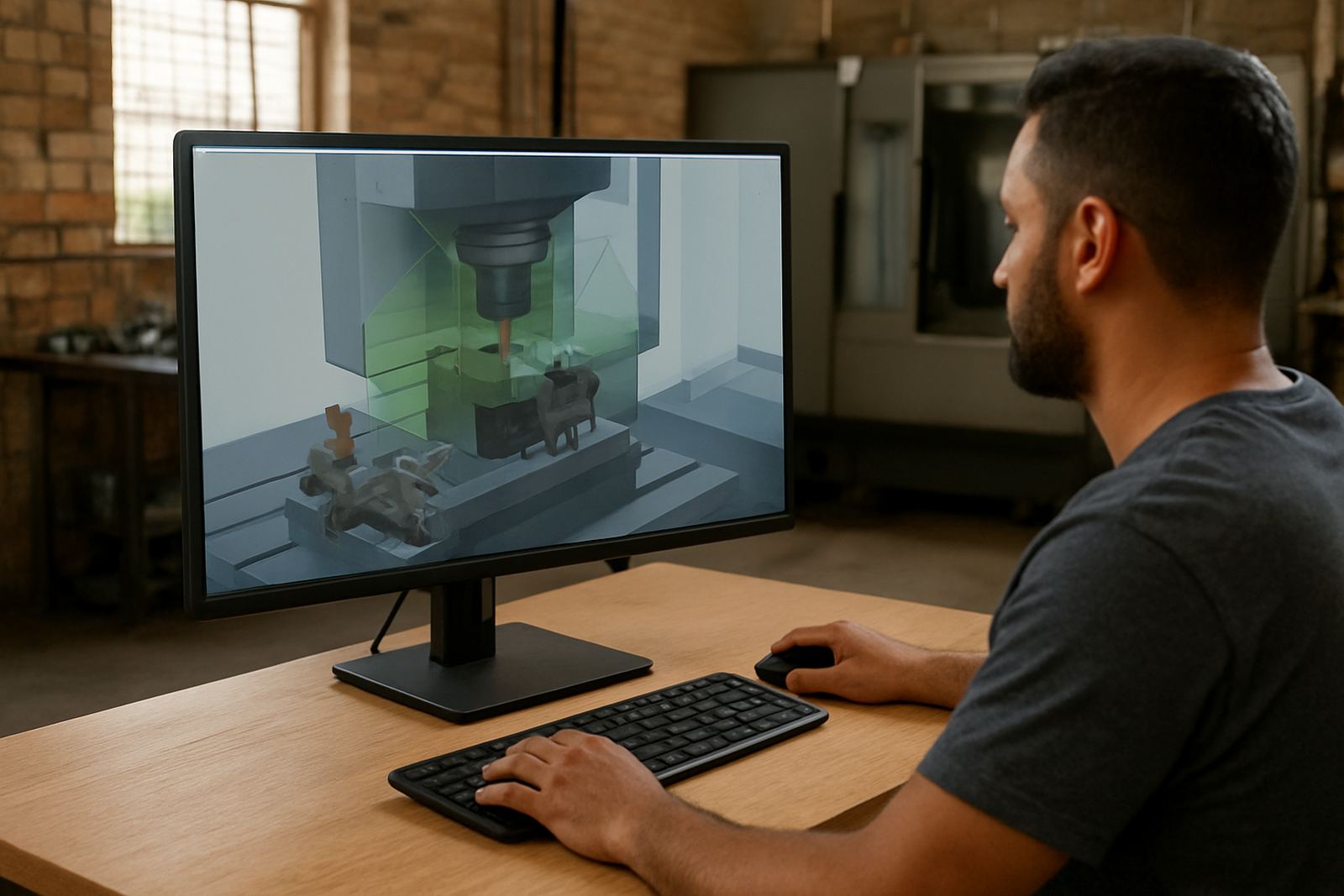
This module gives your programmers and operators a clear run-through of the machining cycle before the machine starts cutting. It shows axis travel, tool motion, holder clearance, fixture position and possible collisions so problems can be caught in the office rather than on the machine. For shops working under load-shedding schedules, that matters because you do not want to waste limited production time on avoidable setup mistakes.
It is suitable for single-machine job shops as well as larger production environments in Pretoria, Johannesburg, Vereeniging, Durban and Cape Town. The module is especially useful where changeovers are frequent, part runs are short and each lost blank or broken cutter costs real money. It also helps new staff build confidence when they are still learning your machines, post-processors and local programming standards.
- Checks toolpath motion against the machine model
- Highlights collisions with fixtures, clamps and stock
- Shows over-travel, unsafe moves and incorrect retracts
- Helps verify the post-processor output before cutting
Sizes and options for small shops and multi-machine bays
The Simulation Module is supplied as a software licence, with options that suit a single workstation or a team setup. Small workshops often only need one programming station for offline verification, while larger sites may prefer multiple licences so more than one programmer can work at the same time. The setup can also be matched to your machine types, from compact routers to large-format plasma tables and heavier milling centres.
Where a shop runs mixed equipment, we can separate simulation settings by machine, controller style and workholding method. That makes it easier to keep turning, milling and routing jobs separate, and it reduces confusion when staff move between departments. If your team works across several sites or branches, the licence structure can be planned to suit each location without forcing everyone into one workstation.
- Single-user and multi-user licence options
- Machine-specific simulation profiles
- Support for different work areas and job types
- Suitable for benchtop engineering offices and workshop programming stations
Where the module suits best in South African production
This product suits CNC shops that want more control over machine risk and setup quality. It is a practical fit for furniture routing, signmaking, general engineering, metal fabrication, jobbing work and production environments where operators must work quickly but still keep parts within tolerance. If your business deals with coastal humidity in Durban or salt air on the Cape side, simulation helps reduce the chance of rushed setups that lead to rusted fixtures, loose clamps or skipped checks.
It is also valuable for municipal and contract work where deadlines are tight and rework can cause delays in delivery notes and customer sign-off. In shops where power interruptions are common, simulation is best used as part of a stronger pre-production routine so that once the machine is back online, the team can cut with confidence and not waste time on trial runs. We often see good results in plants that need to train new programmers while keeping experienced staff focused on output.
Installation, workstation setup and power needs
The module is installed on a suitable programming computer and linked into your existing CAD/CAM workflow. In many cases, the main requirement is a stable Windows workstation with enough memory and graphics capacity to handle the machine model and the part file comfortably. A wired network connection is preferred in busy offices, especially where licences are shared or files are pulled from a central server.
There is no gas requirement for the software itself. Power protection is still important, though, because a clean shutdown and reliable data storage matter when files are being saved, post-processed or reviewed during unstable supply periods. If your site uses generators, inverters or UPS units, we can advise on practical setup points so the simulation station keeps working without interruptions. The software can be installed alongside your existing CAD/CAM tools, provided the machine data and post settings are organised properly.
- Stable Windows-based workstation recommended
- Graphics capacity should match the complexity of your parts
- UPS or backup power is advised for areas affected by load-shedding
- No gas or compressed air requirements
Care, updates and how to keep simulation reliable
Software care is mostly about keeping the machine data current and the files tidy. If a fixture changes, a new tool holder is added or a machine is serviced, the simulation model should be updated straight away. That way the results stay useful instead of drifting away from what is actually on the floor. Regular backups of your post-processor files, machine definitions and tool libraries are also wise, because a missing setup file can slow production down very quickly.
We recommend periodic checks after machine retrofits, controller changes or major tooling changes. If the shop is running a busy schedule, a support plan can help keep the setup aligned with day-to-day work. Small mistakes, like a wrong offset or an old clamp position, are often the reason a simulation looks fine but the real job does not. Keeping data current avoids that problem and saves time later, not just during installation.
What to check when ordering the right licence
Before you place an order, it helps to confirm how many programmers will use the module, which machines need to be modelled and whether you want one shared setup or separate profiles for each bay. You should also check the machine controller type, the available workstation hardware and whether you need help building the tool library from scratch. If your team is spread between Centurion, Pretoria, Johannesburg, Vereeniging, Durban or Cape Town, plan for the way files will move between sites.
Our team can assist with licence installation, machine onboarding, post tuning and first job support. That is useful when a shop wants the module working properly from day one instead of spending weeks testing it piecemeal. When you send an enquiry through the contact page, include the machine list, any current post-processor files, and the kind of work you cut most often so the setup can be matched to your operation.
- Number of users and machines to be covered
- Controller type and machine make-up
- Need for remote or on-site training
- Whether tool libraries and posts need to be built or updated
Key facts
| Product type | CAD/CAM simulation software module |
|---|---|
| Primary use | Checks movement, fixtures and collision risk before cutting |
| Typical users | Programmers, operators, owners and production managers |
| Installation | Workstation-based software licence with machine-specific setup |
| Power needs | Mains power for the PC, UPS recommended where load-shedding affects uptime |
| Support areas | Centurion, Pretoria, Johannesburg, Vereeniging, Durban, Cape Town, East Rand and West Rand |