What Plasma Profile CAM Does on the Shop Floor
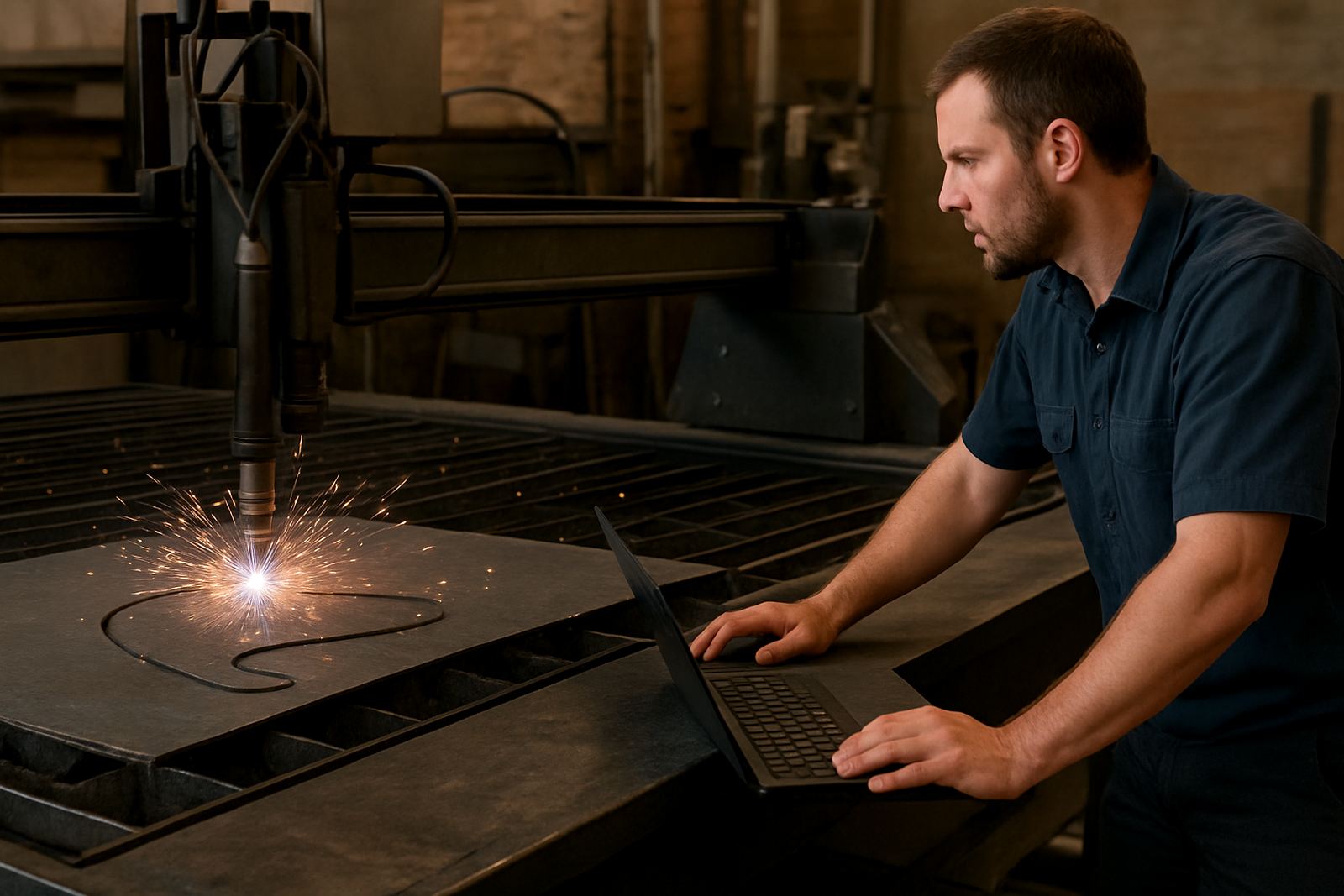
Plasma Profile CAM is CAM software for programming CNC plasma cutting jobs from flat sheet or plate. It takes drawings, nests parts, sets cut paths and creates machine-ready output with the details a plasma table needs, such as pierce points, lead-ins, lead-outs, kerf compensation and corner handling. For shops in Pretoria, Johannesburg and Durban that cut one-off parts as well as repeat orders, the main benefit is speed without losing control over the job.
It works well where the operator needs to move from drawing to cutting in a short time, especially on service work, gate parts, brackets, flanges, signage plates and general fabrication. Common line cutting helps reduce travel on tightly packed nests, which can save time on long runs and cut down on wasted material. Small setup differences matter on plasma, so the software must give the programmer practical control, not just a pretty screen.
- Lead-ins and lead-outs for clean pierces and smoother edges
- Kerf control for accurate sizing on different plate thicknesses
- Common line cutting to shorten cycle time on nested jobs
- Manual and automatic toolpath edits where a part needs attention
Sizes, Options and Typical Shop Requirements
The package can be matched to the size of the workshop, from a single-operator table in Centurion to a multi-user production floor in Cape Town. Most shops start with the core programming function and then add post-processing and support options as the work volume grows. If you handle both plasma and other processes, it can be set up as part of a wider CAM workflow so that one programmer can keep standards consistent across machines.
For more complex work, options may include sheet management, part libraries, custom templates for repeat jobs and post output tuned for your controller. That matters when a shop uses different torch heights, cut sequences or machine behaviours from one table to another. A good setup also helps when you have to hand jobs between teams or run shifts after load-shedding, because the next operator can pick up the same file without starting over.
- Suitable for small job shops and larger fabrication departments
- Works for routing style profiles on plasma tables and gantry systems
- Can be set up for single machine use or shared programming workflows
- Custom post-processors available where machine output needs adjustment
Where It Suits Best and What It Handles Well
This software suits plasma shops that cut mild steel plate, aluminium sheet and stainless steel parts for local fabrication, maintenance and production work. It is a practical fit for shops that need to keep up with deadlines and cannot afford messy starts, overcut corners or rough part separation. In municipal work, signage, balustrade components and agricultural fabrication, the repeatability is just as important as cut speed.
It also suits businesses that want more control over how jobs are grouped. A typical day might include a mix of short-run service parts and heavier plate work, with different thicknesses and different nesting priorities. If the operator understands the machine but not every CAM detail, the software should still make it easy to load the job, check the sequence and get on with cutting.
- Plate profiling for brackets, gussets, plates and frames
- Repeat parts with standard lead-ins and kerf settings
- Common line cutting on nest-heavy production work
- Good for shops that need simple operator handover
Installation, Power and Gas Considerations
Installation starts with checking the office or programming machine specs, the control system on the plasma table and the drawing formats your team already uses. In many South African shops the machine computer is kept near the workshop, so dust control, stable power and backup routines matter. A small UPS can help the programming station ride through short outages, while the machine itself should be protected according to the controller and plasma source requirements.
On the cutting side, plasma setup depends on the table, the torch system and the gas mix or compressed air arrangement. Shops must also allow for extraction, safe fume handling and a clean work area because metal dust and soot build up quickly in high-volume cutting. Coastal humidity in places like Durban and Cape Town can affect consumables and stored plate, so routine checks on air quality, moisture traps and storage conditions are worth doing.
- Allow for stable mains power or backup at the programming station
- Confirm controller compatibility before ordering
- Check air supply, gas needs and extraction for the table
- Keep the machine area clean and dry to protect consumables
Care, Servicing and Ongoing Support
Plasma Profile CAM does not need mechanical servicing, but the workflow around it does. Files should be kept in a clear folder structure, post settings should be backed up and tool libraries should be checked when consumables, torch settings or material thicknesses change. If your machine starts cutting differently after a torch change or software update, the issue may be in the post settings or the job template, not the drawing itself.
For shops with more than one operator, scheduled training is useful. A quick refresher on lead-in placement, nesting priorities and safe file handling can prevent scrap and save time. We also recommend keeping a change log for post edits, machine offsets and cutting notes, especially where multiple shifts use the same table. That way the next person knows what was changed and why, instead of guessing.
- Back up posts, templates and material settings regularly
- Review cut quality after consumable changes or service work
- Train operators on file naming and nesting rules
- Keep a simple log for edits and machine-specific settings
What to Check Before You Order
Before placing an order, check the machine controller model, the drawing file types you use, the sheet sizes you normally cut and the thickness range you need to handle. It also helps to know whether you need basic programming, custom post output, machine onboarding or operator training. A shop doing repeat work in Vereeniging may want a very different setup from a production team in Johannesburg that runs multiple jobs each day.
We also look at how the work moves through your shop. If the programmer is separate from the operator, the setup should be clear and easy to follow. If the same person quotes, nests and cuts, then speed and simple menus matter more. Please be ready with a few sample parts, the machine make and controller details, and a list of the main cutting problems you want to solve.
- Machine controller details and table size
- Common file types and drawing source
- Material types and thickness range
- Need for post-processing, training or first job support