Central licence control for busy CNC teams
A network licence server is the point that manages floating CAD/CAM licences across your office and workshop network. Instead of tying every licence to one PC, the server checks licences in and out as users start and close the software. That gives a shop more flexibility when several people need access during the day, especially where programming, quoting and post checking happen on different stations.
For South African workshops this setup is useful where teams work across shifts, or where one programmer handles routing in the morning and milling in the afternoon. It also helps with licence control in multi-user environments where you want a clear audit trail and fewer interruptions during production. When the system is planned properly, your team knows exactly how many seats are available and who is using them.
When a licence server makes sense
This product suits shops that have more than one CAD/CAM user, or that plan to add users over time. It is also a practical fit where the business works from a central office in Centurion, Pretoria or Johannesburg while machines run at a separate site. If your team shares licences between designers, programmers and machine operators, a network server can reduce idle time and avoid buying separate licences for every workstation.
- Small teams with 2 to 5 users sharing a limited number of licences
- Growing shops that run day and night shifts
- Businesses with separate programming and production areas
- Sites that need controlled remote access for approved users
- Operations that want easier support, updates and tracking
It also works well where access needs to be managed carefully. For example, a shop in Durban with humid conditions and a server room already used for accounts or production control can keep CAD/CAM licensing on the same network rather than relying on standalone machines.
Sizes, licence options and common configurations
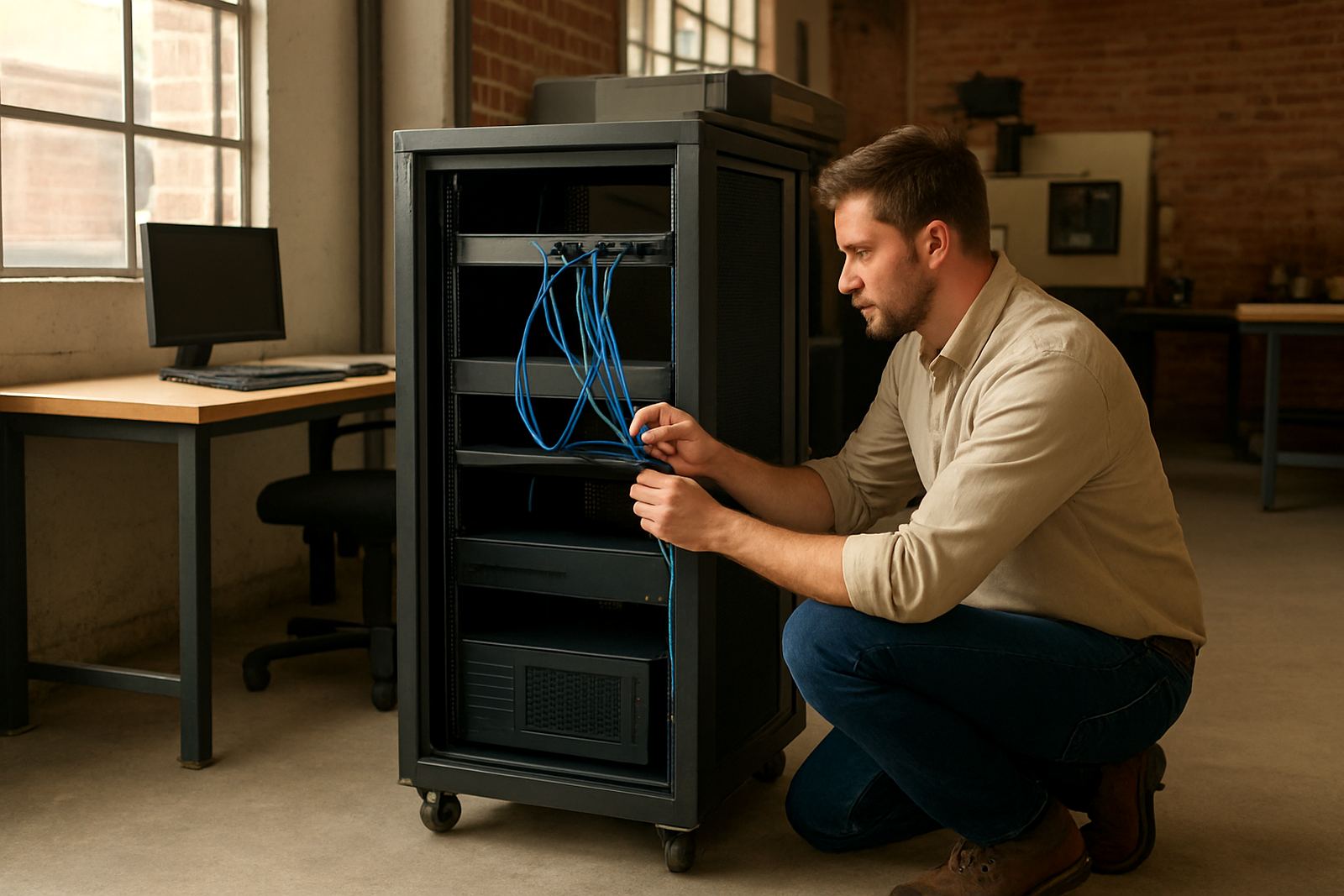
Network licence servers are usually supplied as a software service on an existing Windows server or as a dedicated small form factor machine, depending on the size of the workshop. The right choice depends on how many users you have now, how many you expect in the next 12 to 24 months, and whether the machine will run other systems too. In most shops, a modest server with reliable storage and a wired network is enough.
Typical configurations include:
- 2 to 3 user licence pool for small routing or milling teams
- 5 to 10 user pool for mixed programming and production teams
- 10 plus user pool for larger operations or multi-shift sites
- Dedicated virtual machine where IT already manages the server stack
- Physical appliance where there is no permanent in-house server
If your shop runs several product lines, we can also set up licence groups and access rules so the right people can use the right module at the right time. That matters when one team handles turning while another works on plasma or routing jobs and each group needs different licence access.
Installation, network setup and power considerations
Installation starts with checking the network, the Windows environment and the number of floating licences required. The server must sit on a stable wired connection, with fixed network addressing and a clear backup plan. We normally look at the workshop layout, router traffic and any remote access needed for branch staff or travelling programmers.
Because load-shedding and voltage dips are still part of everyday life in many towns, the server should be protected with a UPS and clean shutdown settings. If the machine is in a workshop near milling or routing equipment, keep it away from dust, vibration and direct heat. Coastal sites in Cape Town or Durban should also allow for better ventilation and corrosion control around cable ends and storage.
- Wired Ethernet connection, not Wi-Fi for the main server
- UPS sized for at least 15 to 30 minutes of safe shutdown time
- Static IP address on the local network
- Windows security settings checked before go-live
- Backup and restore plan for licence data and server settings
If the site has no formal server room, a lockable cabinet or office space with low dust and stable temperature is the better choice. That keeps the licence service available when production is busy and prevents avoidable downtime.
Care, servicing and support after go-live
A licence server needs light but regular attention. The operating system should be updated in a controlled way, backups tested, and the licence service checked after any power event or network change. If your shop adds new PCs, changes routers or moves machines between branches, the licence server should be reviewed as part of that change so users do not lose access during a shift.
We also recommend an annual review where we confirm licence usage, user count and any changes in the workflow. That can include checking whether the business still has enough seats, whether remote users need better access, and whether a new post-processor or training package is affecting how often the software is used. A small problem caught early is always cheaper than losing half a day in production.
- Test licence checkout after power interruptions
- Check server logs for repeated failed requests
- Keep a current backup of licence and config files
- Review user count before adding a new programmer
- Update access when staff leave or move roles
What to check before you order
Before placing an order, confirm how many users need access at the same time, what software modules they use, and whether the server will run on existing hardware or a new machine. It is also worth checking where the server will live, who will manage updates, and whether the site has stable power backup. A clear plan up front avoids delays later when the workshop is already under pressure.
Please have the following ready when you enquire through the contact page: your current user count, machine types, network layout, whether you need remote access, and any special timing for installation. If you operate across Pretoria, Johannesburg, Vereeniging, Durban, Cape Town or the East Rand, it helps to know whether support needs to be done on site or partly remote. We can then match the server setup to the way your shop actually runs, not just how it looks on paper.
Specs and operating details
A proper network licence server does not need to be oversized, but it does need to be stable and easy to maintain. The following specifications are a practical guide for most CNC software environments.
- Platform: Windows server or Windows Pro environment with reliable network services
- Connection: Wired Gigabit Ethernet on the local network
- Power protection: UPS recommended for all installations
- Storage: Solid state drive preferred for quicker service response
- User capacity: Sized to suit 2 to 10 plus floating users
- Support scope: Licence installation, remote troubleshooting, onboarding and annual support plans
For larger sites, we can also align the server with machine onboarding, custom post processors and operator training so the whole production flow works together. That is often the point where a licence server earns its keep, because the team spends less time waiting and more time getting jobs out the door.
Key facts
| Product | Network Licence Server |
|---|---|
| Use case | Central floating licence management for CNC teams |
| Typical users | 2 to 10 plus concurrent users |
| Installation | On site or remote setup on wired network |
| Power | UPS recommended due to load-shedding |
| Support | Licence installation, troubleshooting, backup checks |