What 4 Axis Indexing CAM Does On The Shop Floor
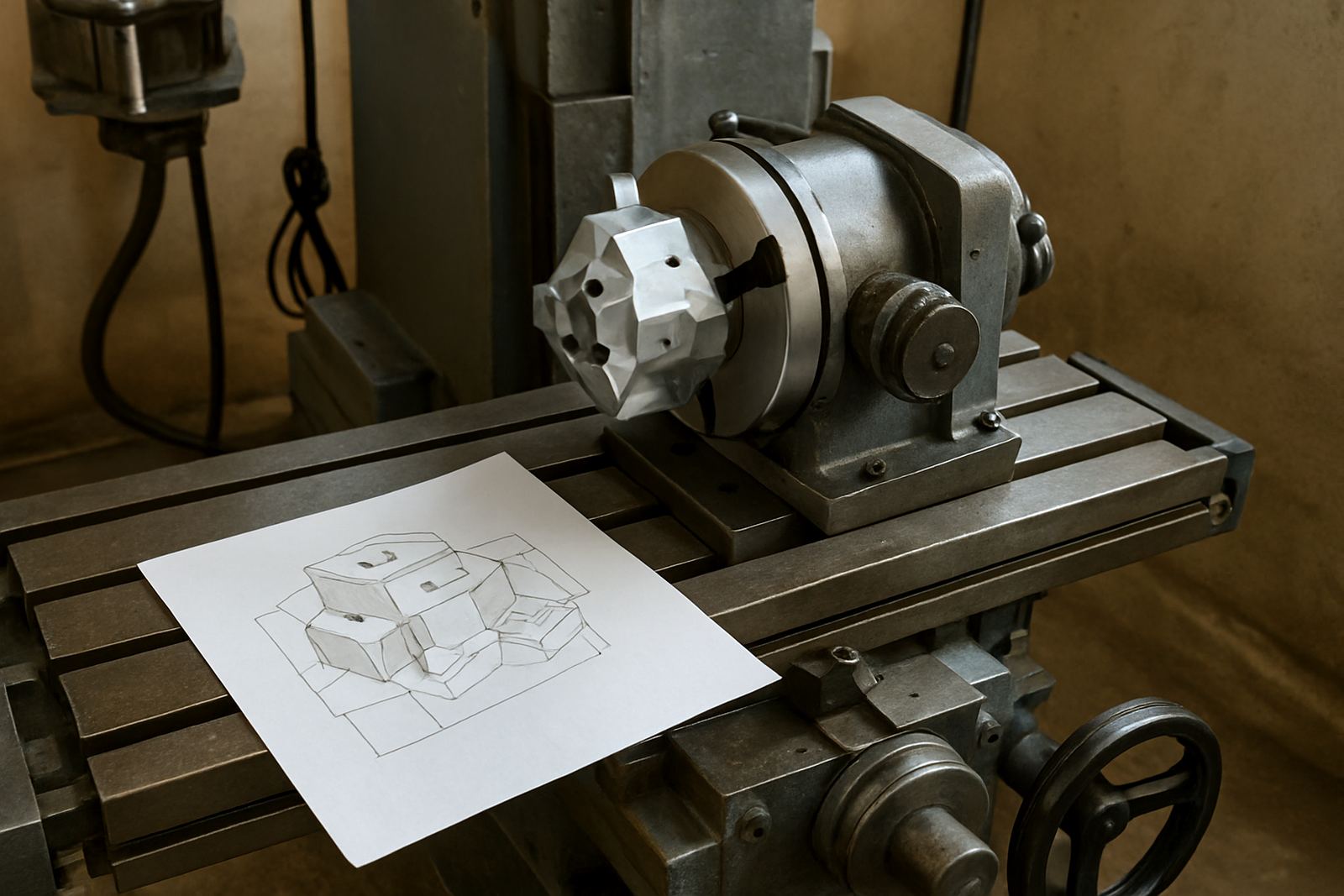
4 Axis indexing CAM is used when a part needs to be turned to a fixed position, cut on one face, then indexed again for the next face. It is not about continuous 4 axis surfacing. It is for shops that want controlled position changes, accurate hole patterns, pockets, side machining and repeatable clamping across several faces of the same job.
In practical terms, it helps reduce manual re-clamping and keeps a part referenced to the same zero point. That matters when you are running short batches, one-off parts, jigs, signage components, mould inserts, fixtures, or turned components that need cross drilling. It also helps when load-shedding interruptions mean a job may be paused and restarted, because the process is easier to recover if the setup notes are clear and the indexing sequence is well defined.
- Indexed machining for multiple faces in one programme
- Supports rotary tables, indexers and driven axis setups
- Useful for routers, milling centres, turning centres and plasma tables
- Reduces clamp changes and operator handling
Sizes, Machine Types And Typical Options
There is no single size for 4 Axis indexing CAM, because the right setup depends on the machine travel, rotary device, part diameter and the way your shop handles fixtures. Smaller routing shops in Pretoria or Vereeniging often need compact indexed work for panels, brackets and aluminium profiles. Milling shops in Johannesburg and Durban may need heavier work envelopes for steel, tooling plates and larger fixtures. Cape Town users often ask for better control on mixed material jobs where corrosion and coastal humidity can affect clamping hardware and storage, so the workholding plan matters as much as the software.
Typical options include post-processor matching for the machine control, rotary axis configuration, custom zero positions, toolpath output for indexed faces, and setup sheets for operators. If your machine has a tailstock, chuck, A axis trunnion, rotary table or a tilting head with fixed index positions, the CAM workflow can be set to suit that arrangement. We also look at whether the machine is used for production, prototyping or mixed workshop work because that changes how much operator input is acceptable.
- Fixture plate machining and face-by-face indexing
- Round parts with cross drilling or slotting
- Rectangular components needing work on 2, 3 or 4 sides
- Mixed part ranges where one programme must be easy to repeat
Where This Workflow Fits Best
This workflow suits shops that want to do more in one clamping without buying a full 5 axis solution. It is common in signage, general engineering, aluminium fabrication, plastics, pattern making, toolroom work and small production runs. If your team already knows how to set work offsets and use basic CAM, indexed 4 axis programming can be a very practical next step.
It is especially useful where accuracy between faces is important but the geometry does not require constant simultaneous motion. For example, a machine shop in East Rand may use it for flange drilling and keyways, while a Durban workshop might use it for marine brackets and stainless fixtures. A Cape Town sheet metal shop may use it for repeated cutouts on bent parts, and a Gauteng router shop may use it for cabinetry hardware patterns. The goal is simple: less handling, better repeatability and fewer chances for a setup error.
When quoting this work, the shop should consider material thickness, cutter reach, clamp clearance, chip evacuation and whether the rotary axis can hold position without drift. If the part is long or irregular, the indexing plan must allow enough clearance to avoid collisions, especially on machines that run close to their travel limits.
Installation, Power And Workshop Requirements
Software installation is straightforward, but the machine side needs proper planning. The post-processor must match the controller format, the rotary axis orientation must be set correctly, and the home positions should be verified before any production run. If you are adding a new indexer to an existing machine, the machine builder or technician should confirm the axis direction, encoder feedback, limits and braking behaviour.
Power needs depend on the machine itself rather than the CAM package. Most CNC shops in South Africa already understand the impact of load-shedding, so backup power, controlled shutdowns and saved setup notes are worth planning for. For plasma shops, compressed air quality also matters because poor air can affect cut quality and the machine environment. For mills and routers, clean electrical supply, dust extraction and a dry, stable installation area help protect drives and cables, especially in coastal towns where humidity is high.
Our team can assist with licence installation, machine onboarding, custom post-processors, post tuning and on-site or remote training. That support is useful when a shop has more than one machine, or when operators need a consistent process across branches in Pretoria, Johannesburg, Vereeniging, Durban and Cape Town.
Care, Servicing And Keeping Indexed Jobs Accurate
Indexed CAM is only as good as the physical setup underneath it. Rotary axes need regular checking for backlash, clamp wear, bearing play and any signs of movement after a heavy cut. Fixtures should be cleaned after each run, because chips trapped under a job can throw off the next face and introduce a small angle error. That is often where the trouble starts, not in the code.
Servicing should include verifying the home position, checking safe clearances, confirming tool lengths and inspecting the fixture for repeatability. If you are running stainless, mild steel or abrasive materials, keep an eye on wear to clamps and location pins. Shops doing daily production should also keep a simple log of post changes, tool offsets and any alarms that appeared during the run. It saves time later and helps the programmer see patterns in the faults.
- Clean the rotary and fixture surfaces before every indexed run
- Check backlash and clamp wear at set service intervals
- Reconfirm safe Z height after tool changes or new fixtures
- Keep a printed setup note for restart after power interruptions
What To Check Before You Order Or Request Setup
Before ordering, check the machine model, controller type, rotary hardware and the exact kind of indexing you need. Some shops only need 90 degree face changes. Others need 45 degree or 120 degree steps, or a custom list of positions. The CAM strategy should match the work, otherwise you end up with unnecessary code, slower cycles or awkward operator steps. It is also worth confirming whether the machine will run dry, with coolant, or with air blast only, because that affects chip clearing and tool life.
Have the following details ready when you enquire through the contact page so the setup can be matched properly:
- Machine type and controller model
- Rotary axis or indexer size, travel and direction
- Typical part size, material and fixture method
- Number of indexed faces required
- Whether the shop needs training for operator, programmer or owner
- Any current post-processor files or sample G-code for review
If you are in Centurion, Pretoria, Johannesburg, Vereeniging, Durban or Cape Town, we can work through the setup plan with your team and align the post to the machine before the first job goes live. That saves time and avoids trial-and-error on valuable stock.
Key facts
| Type | 4 axis indexed CAM workflow for fixed-angle machining |
|---|---|
| Supported operations | Face machining, drilling, pocketing, slotting, trimming and contouring |
| Indexing style | Fixed-position rotary moves, not simultaneous 4 axis surfacing |
| Typical compatibility | Routers, mills, turning centres with driven tooling, and plasma tables |
| Common indexed steps | 90 degrees, 120 degrees, 180 degrees or custom positions |
| Support options | Licence installation, custom post-processors, training and troubleshooting |